
Managing local SEO is challenging with just one shopfront; multiply that across states or countries and the complexity grows exponentially. Customers expect accurate information for each branch, and Google rewards businesses that deliver it. A clear playbook helps multi-location brands in Australia and the US stay consistent and visible.
Definition/overview
Multi-location SEO is the practice of optimising each branch of your business so that it appears in relevant local searches. When someone in Brisbane searches for ‘plumber near me’ they should see the Brisbane branch of your business, not the Chicago office. Local ranking is influenced by relevance, distance and prominence: how well your listing matches the query, how close it is to the searcher and how well known it is. Each Google Business Profile (GBP) needs up-to-date information, and each location page on your website should offer unique content. Success comes from balancing national brand consistency with local nuance.
Use the official references for local SEO standards: Google Business Profile Help and Google’s local ranking tips.
Why the old way fails / common mistakes
Many brands attempt to rank multiple locations by cloning the same page and swapping the suburb name. Google recognises duplicate content and may ignore those pages. Another common mistake is using one GBP listing to represent multiple offices; this confuses searchers and violates Google’s guidelines. Businesses also forget to maintain consistent name-address-phone (NAP) information across directories, leading to mismatched signals. Finally, ignoring customer reviews or leaving old hours online can hurt credibility. These shortcuts may have worked when competition was low, but they don’t scale across regions or countries.
Core principles
To rank reliably across multiple locations you need to establish a repeatable framework. These principles apply whether you have two shops or two hundred.
- Claim and verify a separate Google Business Profile for every physical location, including accurate categories and hours.
- Create unique location landing pages with localised copy, maps, contact details and customer stories.
- Maintain NAP consistency across your website, directories and social profiles. Small discrepancies can dilute trust.
- Encourage and respond to reviews. Positive reviews boost prominence and show engagement.
- Implement LocalBusiness schema with the correct address and geo-coordinates for each page.
- Link between location pages and from your corporate site to help users and crawlers navigate.
Step-by-step implementation
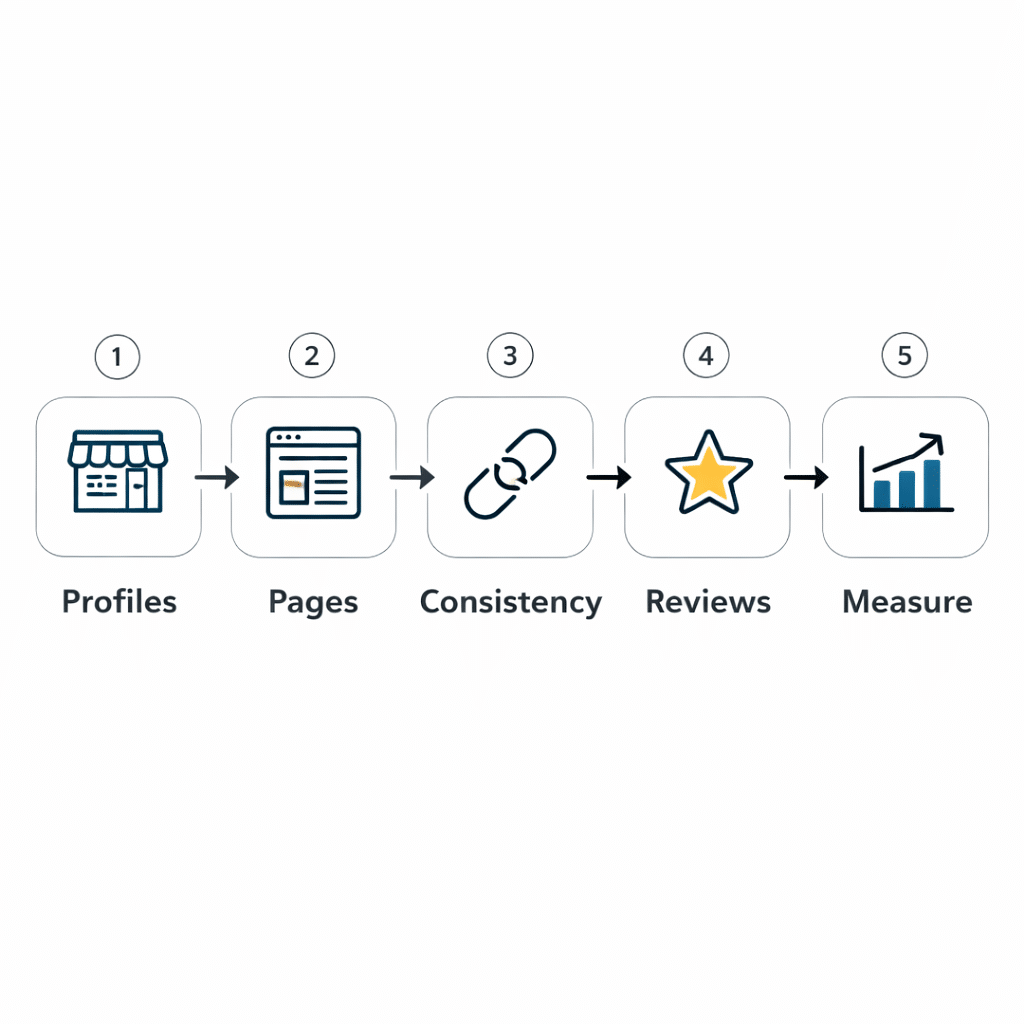
This playbook walks you through the essential setup tasks for multi-location SEO. Complete them in order and repeat as you add new branches.
- Create or claim a Google Business Profile for each location and complete verification.
- Fill in every field: address, phone, website, categories, services and hours. Keep them up to date.
- Write a unique location page that covers the branch’s services, staff introductions, local landmarks and driving directions.
- Use unique meta titles and descriptions; don’t just swap out city names.
- Add a map embed and calls to action tailored to the location, such as booking or call buttons.
- Implement LocalBusiness schema with the correct @id and geo coordinates.
- Ensure your NAP is consistent across your site and third-party directories.
- Set up a review management process to request, respond to and learn from customer feedback.
- Monitor performance through Search Console and GBP insights; refine pages based on metrics.
Multi-location local SEO setup checklist
- Each location claimed and verified in Google Business Profile.
- Unique landing page with local copy and calls to action.
- Consistent NAP across site and directories.
- LocalBusiness schema implemented with accurate coordinates.
- Reviews requested and responded to within a week.
- Links between location pages and the main site.
- Regular audits of hours and contact information.
|
Location page section |
Purpose |
Common mistake |
|
Title & meta |
Tell searchers and crawlers what the page is about |
Using the same title for every city. |
|
Intro paragraph |
Describe services with a local hook |
Copying generic corporate text. |
|
NAP block |
Show address, phone and hours |
Leaving off the phone number or unique opening times. |
|
Map & directions |
Help customers find you |
Embedding the wrong location or none at all. |
|
Local proof |
Add reviews, testimonials and staff bios |
Using stock reviews that don’t mention the branch. |
|
Call to action |
Guide the visitor to call or book |
Using a generic form that doesn’t route to the branch. |
Mini example
A national physiotherapy chain launched distinct pages for its Sydney, Melbourne and Chicago clinics. Each page included practitioner profiles, local health tips and driving directions. They collected reviews through targeted email campaigns and kept their GBP hours current. Within months their location pages started ranking for city-specific searches and attracting new patients.
How D-Legion Software helps
Scaling local SEO across multiple locations is complex, but our team has done it for retailers, clinics and service providers across Australia and the United States. We build location frameworks that make it easy to spin up new pages, ensure NAP consistency and implement structured data. Our consultants manage GBP listings, plan review strategies and provide reporting so you know which branches are thriving. Explore how our SEO Brisbane and SEO Chicago services can help, learn about our business support offerings and reach our contact team to get started.
FAQs
Do I need a separate page for each location?
Yes. Each location deserves its own page with unique content. You should showcase local services, staff and reviews. Simply duplicating content and swapping the suburb name will not help and may confuse both users and search engines.
Should I create separate Google Business Profiles?
Every physical branch must have its own Google Business Profile. This allows you to display the correct address, phone number, hours and reviews for that branch. You can manage all profiles from one account but they should remain distinct.
How can I scale reviews across Australia and the US?
Implement a review request process that triggers after purchases or appointments. Use location-specific links so customers rate the correct branch. Respond promptly to both positive and negative feedback. Standardise your tone across markets but allow for local nuances, such as seasonal offers or cultural references.